Deploy From Git
Hubfly Space’s Git deployment flow is built for both GitHub repositories and self-hosted Git repositories.
What The Flow Supports
- GitHub repository selection or manual repository URL entry
- Branch selection
- Root directory selection
- Auto deploy trigger selection:
pushci
- Automatic build detection
- Manual build configuration
- Build and runtime env variable scoping
If you want the deeper operational guide for repository access, org installations, branch strategy, root directories, and self-hosted Git, use Git Repository Reference.
Connect A Repository
Open the deploy flow
Go to your project and open New Container.
Choose Git Repository
Select the Git source tab.
Pick the repository
Use the GitHub selector or paste a repository URL like:
https://github.com/owner/repoPick branch and directory
Choose the branch to deploy and set Root Directory if your app is not at repo root.
Connect the repository
HubFly validates repository access before letting you continue.
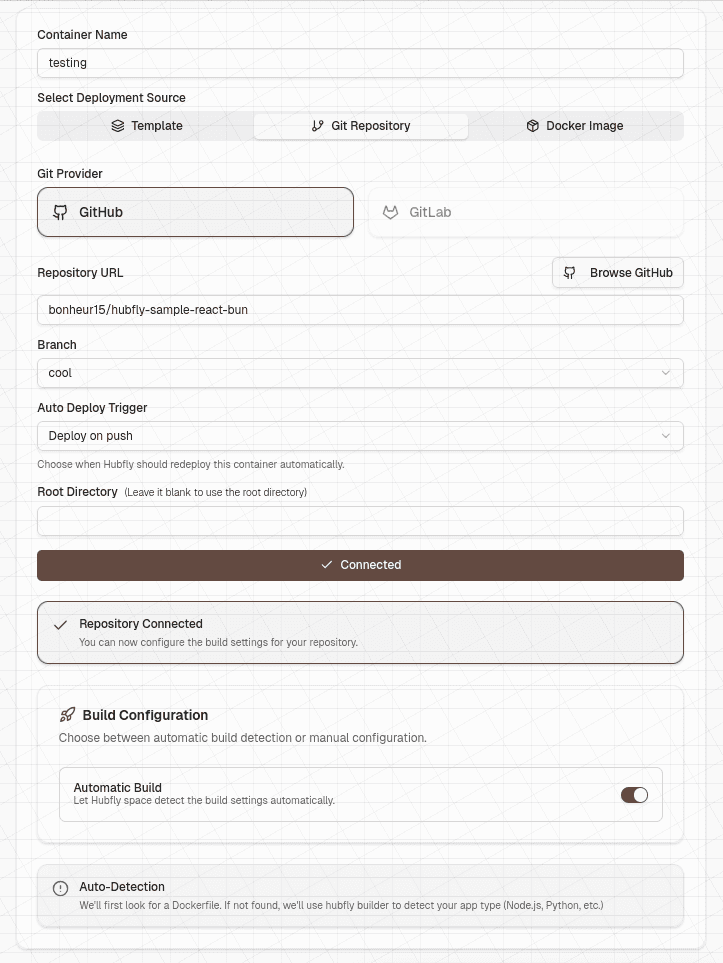
Choose The Redeploy Trigger
You can choose:
Deploy on pushDeploy on CI success
These values are stored in the source configuration and are used by the Git webhook flow, including GitHub webhooks and self-hosted redeploy hooks.
Build Modes
Automatic Build
Automatic mode first looks for a Dockerfile. If no Dockerfile is found, Hubfly Builder attempts to detect the application stack and build it.
Manual Build
Manual mode supports:
- Runtime:
node,bun,python,go,java,php,static,Rust,Ruby - Framework
- Version (Runtime version)
- Install command
- Setup commands
- Build command
- Post-build commands
- Runtime init command
- Run command
Run command is required when manual build mode is enabled.
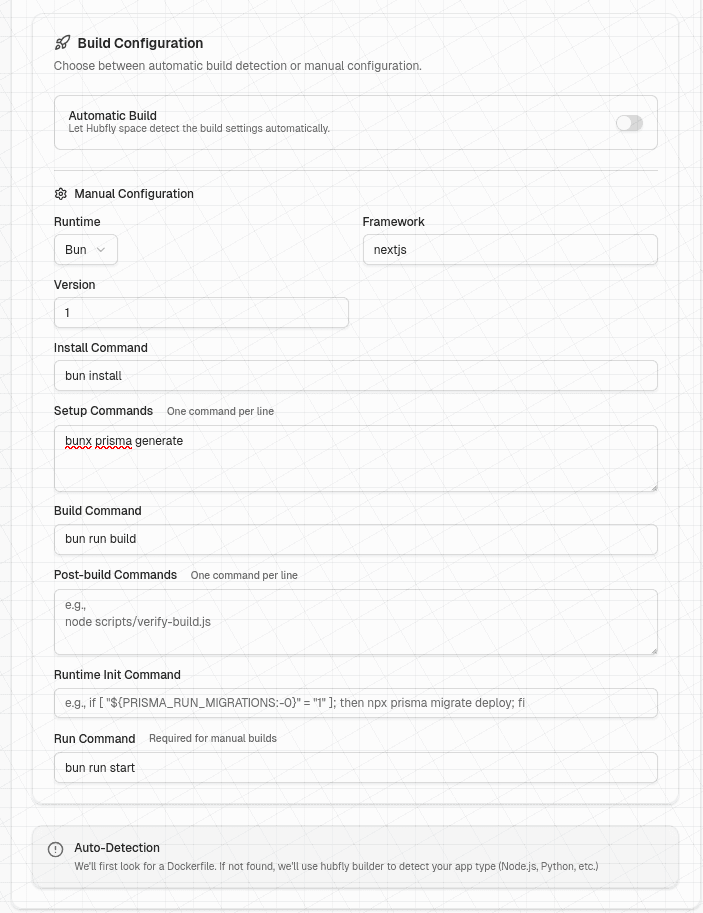
Environment Variables
Git deploys can categorize env vars as:
buildruntimeboth
Project-level env vars are merged with container-level env vars during deploy. If the same key exists in both places, the container-level value wins.
What Happens Under The Hood
- Hubfly space stores a build job.
- Hubfly gets a GitHub token from the linked account or GitHub App installation.
- The builder service clones the repository and runs the configured build.
- The resulting image is deployed into the project network.
If you already have an image, skip the builder and use Deploy From Image.